|
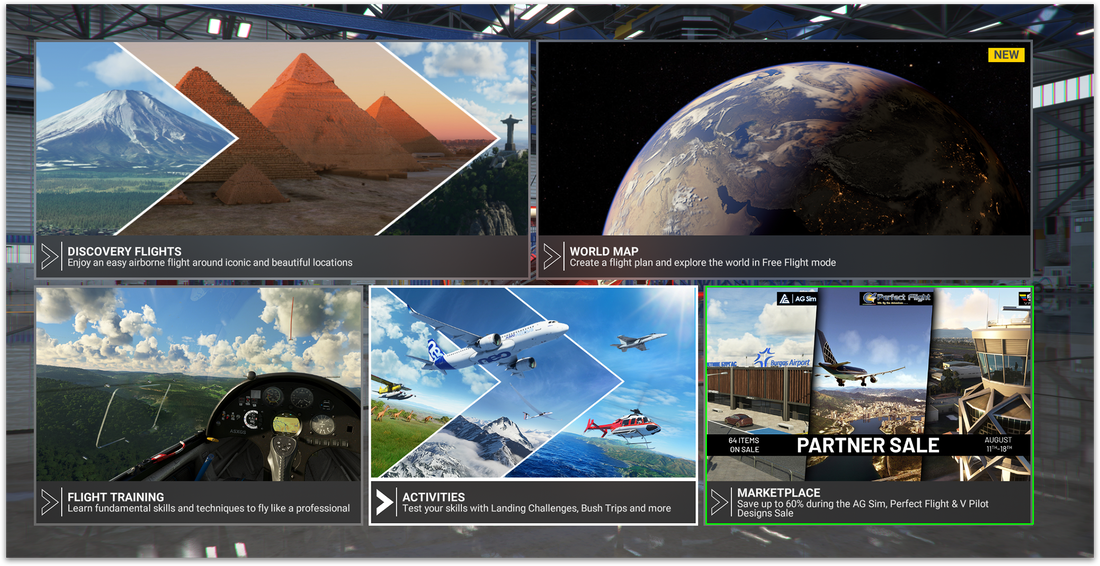
Finding the MarketplaceYou can find the in-sim Marketplace on the Microsoft Flight Simulator 2020 Home back on the bottom right corner (See green box in the screenshot).
By clicking here you will find all of the products available for purchase on the Marketplace. |
Finding the Airport
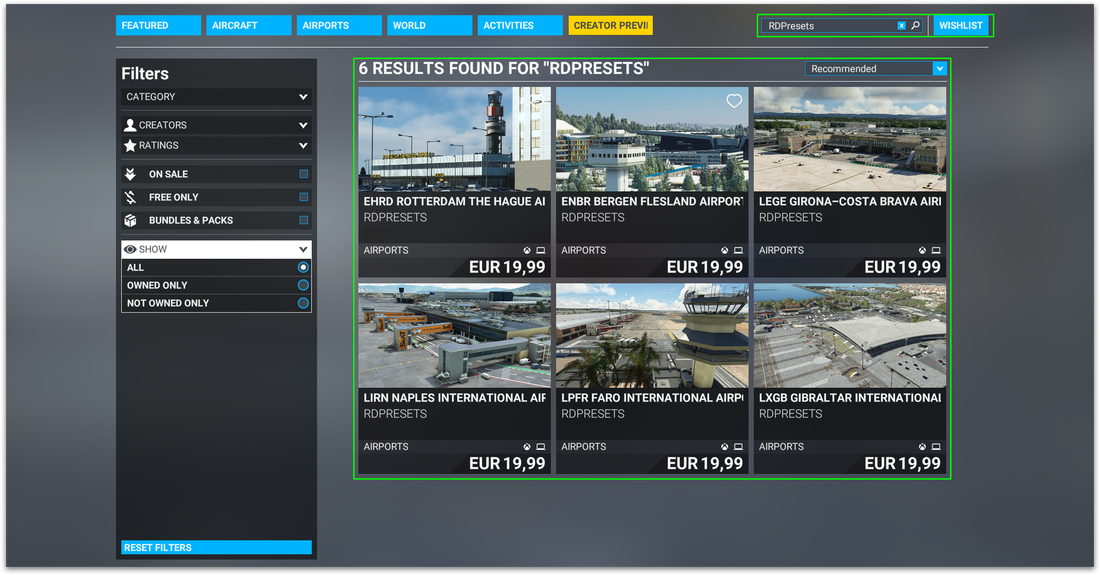
In the search tab on the top right type: 'RDPresets'. By doing this all of the airport currently for sale by RDPresets are shown by picture, price and title.
Here you can choose the airport you are looking for to go to the information page about the airport. |
|
|
Checkout
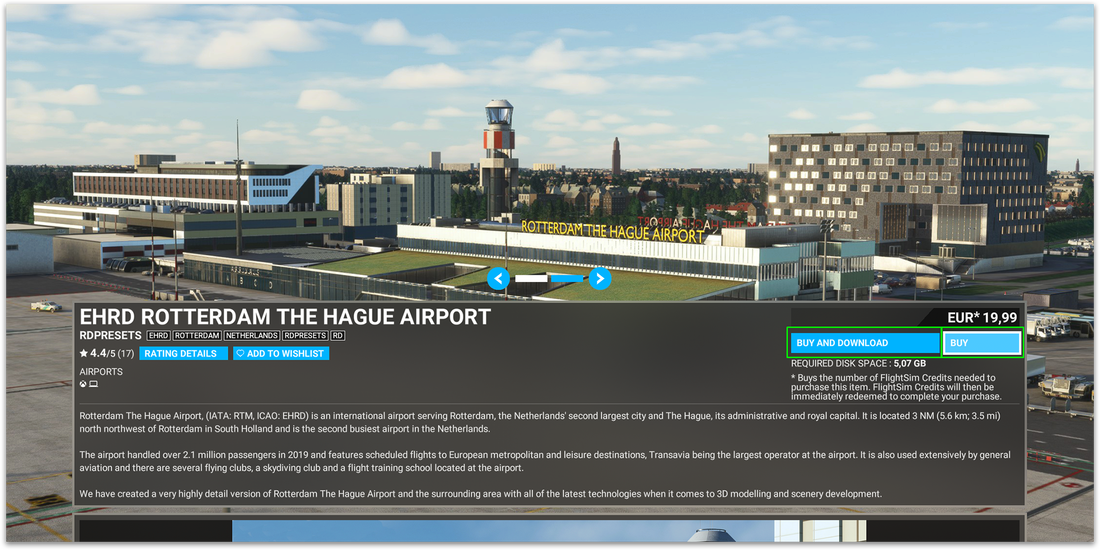
By using the 'Buy and download' or 'Buy' buttons on the right side below the price you can start the checkout process using the Microsoft Store.
All the steps with regards to payment are explained in detail during this process. When payment has been approved the airport will download and install automatically and you are ready to fly! |